
 Arabic
  English
  Turkish
  Chinese
  Japanese
  Russian
  Spanish
  German
  French
  Hindi
Hindi Download VTracer 0.6.4 for Windows
Download VTracer 0.6.4 for Windows.
VTracer Overview
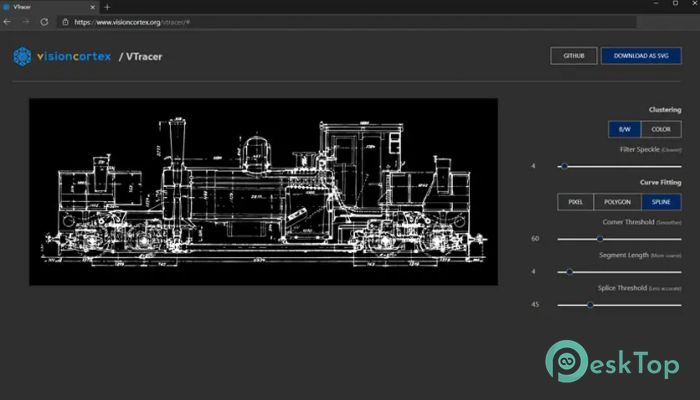
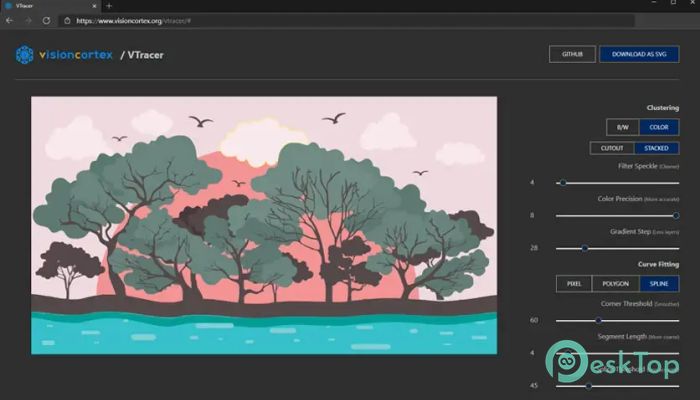
It is an open-source solution that transforms raster images into high-quality vector graphics. Raster images, such as JPG or PNG files, are made of pixels. When these images are enlarged, they often become blurry or lose their sharpness. Vector graphics, on the other hand, are built using mathematical paths and curves, allowing them to scale infinitely without losing quality. This tool converts regular images into SVG vector files by accurately tracing curves and shapes. The result is a compact and scalable vector graphic that can be used in design, development, or printing. It acts like a digital artist that carefully redraws your image using mathematical precision. The software is built using Rust, a modern programming language known for its speed, safety, and efficiency. Thanks to this strong foundation, the tool runs smoothly and delivers reliable performance even when processing complex images. The web application version also demonstrates how Rust and WebAssembly can work together to create powerful browser-based tools.Features of VTracer
Raster to Vector Conversion Explained
Many designers work with raster images every day. Photos, screenshots, and scanned artwork are usually stored as pixel-based files. While these files are useful, they are not always ideal for design tasks that require resizing or editing.
This is where vectorization becomes important. The tool analyzes the pixels of an image and converts them into paths, curves, and shapes. Instead of storing millions of pixels, the image is rebuilt using mathematical descriptions. Think of it as turning a painted picture into a blueprint with precise lines.
Once the conversion is complete, the output file becomes a scalable SVG. This format is widely used in web design, graphic design, and digital illustration. Because vectors scale perfectly, they are ideal for logos, icons, and illustrations.
Efficient Curve Tracing Technology
One of the most impressive aspects of the software is its ability to trace curves. Rather than simply outlining shapes roughly, it carefully analyzes edges and contours within the image.
The software studies how colors transition from one pixel to another and then reconstructs those transitions using smooth curves. The result is a clean and professional vector output that closely resembles the original artwork.
This method reduces file size while maintaining accuracy. Instead of storing thousands of unnecessary points, it simplifies shapes into smooth vector paths. The final SVG file becomes compact, efficient, and easy to work with.
Built on Rust for Performance and Reliability
Modern software development demands speed and stability. That is why this tool is built using Rust. Rust has gained popularity among developers because it combines performance with safety.
Rust allows developers to create fast algorithms while preventing many common programming errors. The software's core library uses this language to perform complex calculations efficiently.
Imagine a sports car engine under the hood of a design tool. The Rust Foundation ensures that image processing happens quickly without consuming excessive system resources. Even large images can be processed smoothly.
Power of WebAssembly Integration
Another exciting aspect is the use of WebAssembly. The web version of the software demonstrates that Rust code can run in a browser with impressive performance.
WebAssembly acts as a bridge, allowing compiled languages to run in web environments. Instead of relying only on traditional JavaScript, the tool brings high-performance processing directly into the browser.
This means users can convert images to vectors without installing heavy software. The experience becomes fast, interactive, and accessible from almost any device with a browser.
Compact and Scalable SVG Output
One major advantage of vector graphics is scalability. When raster images are enlarged, they often appear pixelated. Vector graphics remain sharp regardless of size.
The software generates SVG files that maintain quality even when scaled dramatically. This makes them perfect for logos, icons, posters, and digital artwork.
The output files are also lightweight. Because the tool intelligently simplifies curves and shapes, the resulting vector files remain compact while preserving visual accuracy.
Useful for Designers and Developers
The software is not limited to graphic designers. Developers can also benefit from vector graphics in many ways. SVG images integrate easily into websites and applications.
Instead of loading large image files, developers can use scalable vector graphics that render smoothly across different screen sizes. This improves performance and visual consistency.
For designers, the software provides a quick way to convert sketches, illustrations, or logos into editable vector formats. Once converted, the artwork can be refined using vector editing tools.
Simple Workflow and User Experience
Despite its powerful technology, the tool keeps the workflow simple. Users only need to load an image, allow the software to process it, and export the resulting vector file.
The conversion process feels almost like watching a sketch artist redraw your picture line by line. Shapes appear, curves form, and the image gradually transforms into a clean vector version.
This simplicity makes the tool accessible for beginners while still offering powerful results for experienced users.
Open Source Flexibility
Being open source means developers and enthusiasts can explore the project, contribute improvements, and build custom applications using the core library.
The Rust implementation makes it easy for developers to integrate vector tracing capabilities into their own software. From creative apps to design automation tools, the possibilities are wide.
Open source development also ensures transparency. Anyone can inspect the code, improve algorithms, or expand the software's capabilities.
System Requirements and Technical Details
Operating System: Windows 11 / 10 / 8.1 / 7
Processor: Minimum 1 GHz Processor (2.4 GHz recommended)
RAM: 2GB (4GB or more recommended)
Free Hard Disk Space: 200MB or more is recommended

-
Program size597.70 KB
-
Version0.6.4
-
Program languagemultilanguage
-
Last updatedBefore 7 Month
-
Downloads31
 Paragon Hard Disk Manager 18 Business
 Aescripts MaskMotion
 Aescripts AE Glass
 Aescripts PreFlight
 Aescripts Risograph
 Aescripts Folder Fanatic