
 Arabic
  English
  Turkish
  Chinese
  Japanese
  Russian
  Spanish
  German
  French
  Hindi
Hindi Download Wings 3D 2.4.1 for Windows
Download Wings 3D 2.4.1 for Windows.
Wings 3D Overview
This modeling application focuses purely on building and shaping 3D objects, keeping the workflow clean and distraction-free. It was inspired by earlier professional tools but refined over the years to feel lighter, faster, and more approachable. Since its early development in the early 2000s, it has grown with the help of a dedicated community that continues to improve stability, features, and usability. The main idea behind the software is simplicity without sacrificing control. Instead of overwhelming users with timelines or animation panels, it concentrates fully on polygon and subdivision modeling. This makes it ideal for artists who want to focus on shape, form, and surface details.Features of Wings 3D
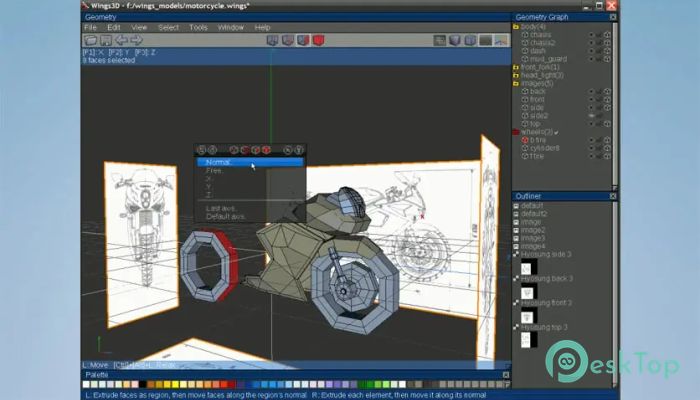
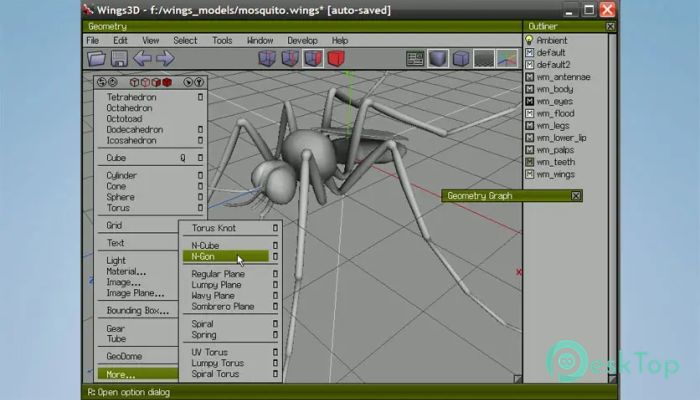
Simple and Clean User Interface
The first thing most users notice is how clean everything feels. Menus stay out of the way, and right-click options adapt to the selected item. This context-based system feels natural, almost like sculpting clay, where tools appear exactly when needed.
The layout is customizable, so artists can adjust panels, shortcuts, and colors to match their working style. This flexibility makes long modeling sessions more comfortable and helps reduce fatigue.
Powerful Subdivision Modeling Tools
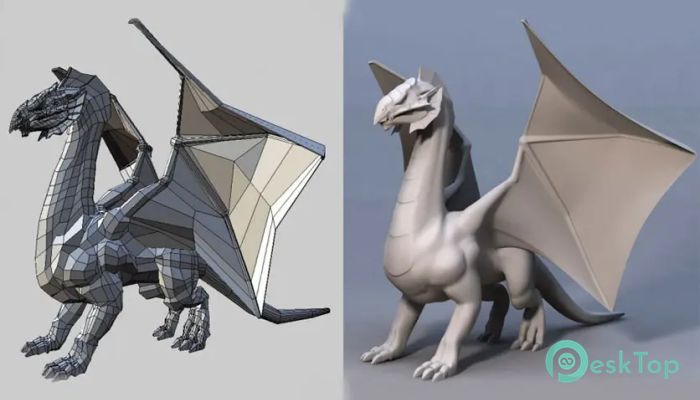
The software shines in subdivision modeling. It allows users to start with simple shapes and gradually refine them into complex models. Edge loops, face extrusions, bevels, and cuts work smoothly together, making it easy to add detail step by step.
This approach feels like carving a wooden block into a finished sculpture. You begin with something rough and slowly refine it until the final shape emerges. It is perfect for hard surface models, props, and organic forms alike.
Advanced Selection Modes
One of the strongest features is its selection system. Users can switch between vertex, edge, face, and body modes instantly. Each mode opens up different tools, keeping the workflow efficient and intuitive.
This design helps artists stay focused. Instead of hunting through menus, they can think directly in terms of structure and geometry. It feels like having a well-organized toolbox where every tool has a clear purpose.
Built-In AutoUV Mapping
Texturing often feels like a chore in many modeling tools, but here it becomes much easier thanks to the built-in AutoUV system. This feature helps unwrap models efficiently, reducing distortion and saving time.
Artists can mark seams, unfold surfaces, and adjust UV layouts without switching to another application. This keeps the workflow smooth and reduces unnecessary back-and-forth.
Materials and Lighting Support
The software includes basic support for materials and lighting, allowing users to preview how models might look once textured. While it is not a full rendering engine, it provides enough visual feedback to check surface flow and shading.
This preview system works like a mirror while dressing up an outfit. It may not show the final photoshoot result, but it helps ensure everything fits and looks right before moving forward.
Lightweight and Fast Performance
Another major advantage is its lightweight feel. It runs smoothly even on older systems, making it accessible to a wider audience. Startup times are short, and operations respond quickly.
This speed encourages experimentation. Artists can try ideas freely without worrying about lag or crashes that might interrupt their creative flow.
No Animation, Pure Modeling Focus
Unlike many 3D tools, there is no built-in animation system. This is a deliberate choice rather than a limitation. By removing animation features, the software stays focused on what it does best: modeling.
This makes it an excellent companion tool. Many artists use it to create assets and then export them to other applications for animation or rendering.
Community and Ongoing Development
The application is actively maintained with help from its user community. Feedback, tutorials, and shared resources make learning easier for newcomers. Over the years, this support system has helped shape improvements and maintain stability.
Being community-driven gives it a personal feel. It feels less like a corporate product and more like a shared workshop built by artists for artists.
Who Should Use This Tool
This software suits beginners who want to learn 3D modeling without being overwhelmed, as well as experienced artists who want a fast modeling-focused environment. Game developers, hobbyists, and product designers often find it especially useful.
It acts like a reliable sketchbook for 3D ideas, letting users block out concepts quickly before refining them further elsewhere.
System Requirements and Technical Details
Operating System: Windows 11 / 10 / 8.1 / 7
Processor: Minimum 1 GHz Processor (2.4 GHz recommended)
RAM: 2GB (4GB or more recommended)
Free Hard Disk Space: 200MB or more is recommended

-
Program size40.02 MB
-
Version2.4.1
-
Program languagemultilanguage
-
Last updatedBefore 8 Month
-
Downloads25
 Paragon Hard Disk Manager 18 Business
 Aescripts MaskMotion
 Aescripts AE Glass
 Aescripts PreFlight
 Aescripts Risograph
 Aescripts Folder Fanatic