
 Arabic
  English
  Turkish
  Chinese
  Japanese
  Russian
  Spanish
  German
  French
  Hindi
Hindi Download Zoom Player IPTV 21.5.2 for Windows

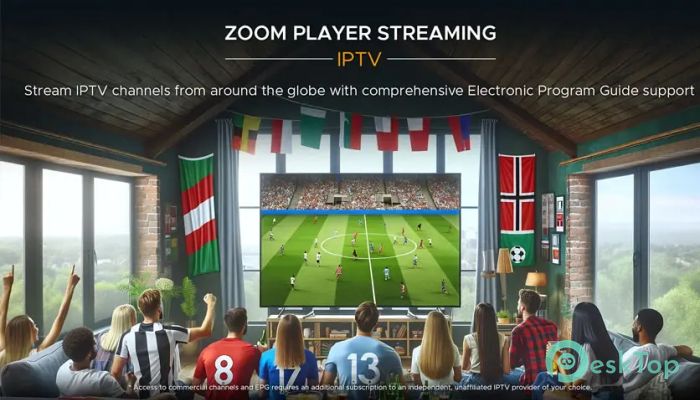
Download Zoom Player IPTV 21.5.2 for Windows.
Zoom Player IPTV Overview
It is a multimedia player designed for those who enjoy streaming TV shows, movies, and other online content directly on their computers. With Internet Protocol Television (IPTV) support, users can watch live broadcasts or catch up on their favorite programs at any time. The player features an easy-to-use interface and plenty of customization options, making streaming both enjoyable and straightforward.Features of Zoom Player IPTV
Simple and Clean Interface
The software offers a classic, easy-to-navigate interface that anyone can get used to quickly. You’ll find all the basic controls like play, pause, stop, and volume adjustments in a familiar layout. Extra features, such as media library access, playlist management, and channel organization, are available via the right-click menu. This lets you personalize your streaming experience without getting overwhelmed by complex settings.
Streaming and Playback Quality
The tool is designed to handle a wide range of video formats and resolutions smoothly. With support for 4K HDR playback, it delivers a high-quality viewing experience for both live TV and on-demand videos. The playback engine ensures stable streaming, even when switching between different channels or content sources. Whether you're watching news, sports, or movies, the quality remains sharp and consistent.
Customizable Media Library
Users can easily organize their content library to keep everything in one place. You can sort your channels, manage playlists, or set favorite stations for quick access. The built-in chapter editor allows you to mark specific parts of a video or show, making it easier to jump back to your favorite scenes. This feature is especially useful for users who regularly watch long programs or series.
Smart Playlist and Channel Manager
The tool includes a playlist editor that helps you create and save custom lists for different moods or occasions. The station manager feature makes it simple to add, remove, or rename channels as needed. If you like organizing your entertainment by genre or country, this software makes it easy with just a few clicks.
Performance and Compatibility
One of the biggest advantages of this player is its efficiency. It runs smoothly even on older systems without consuming too many resources. You don’t need a powerful computer to enjoy HD or 4K content. It’s compatible with multiple Windows versions, ensuring a stable performance regardless of your setup. The player’s optimization also reduces buffering time and enhances responsiveness during playback.
Security and Privacy
Unlike some online streaming tools, this software prioritizes user safety. It doesn’t collect personal data or require unnecessary permissions. Your playlists and channel preferences remain private, giving you complete control over your streaming experience. You can safely watch your favorite programs without worrying about hidden tracking or ads.
Ease of Setup and Use
Getting started with this tool is simple. After downloading and installing, users can easily add their IPTV links or playlist files. The software automatically detects and loads available channels. Once configured, you can start streaming immediately without needing additional plugins or configurations. Its straightforward setup makes it an excellent choice for beginners and experienced users alike.
Why Choose This Media Player
There are many IPTV players available, but this one stands out because of its balance between performance and simplicity. It’s lightweight, yet powerful enough to handle large playlists and high-definition streams. Its customizable design means you can tweak the interface, colors, and layout to suit your preferences. Whether you’re watching TV, listening to radio streams, or viewing personal videos, it covers all your entertainment needs in one place.
Regular Updates and Support
The developers frequently update the software to fix bugs and improve performance. They also introduce new features based on user feedback, ensuring it stays up to date with modern streaming requirements. If you encounter any issues, the active community and support forums offer helpful solutions and troubleshooting guides.
System Requirements and Technical Details
Operating System: Windows 11 / 10
Processor: Minimum 1 GHz Processor (2.4 GHz recommended)
RAM: 2GB (4GB or more recommended)
Free Hard Disk Space: 200MB or more is recommended

-
Program size92.93 MB
-
Version21.5.2
-
Program languagemultilanguage
-
Last updatedBefore 11 Month
-
Downloads275Ralated programs
![ChrisPC VideoTube Downloader Pro]() ChrisPC VideoTube Downloader Pro
ChrisPC VideoTube Downloader Pro![TranscribeKit]() TranscribeKit
TranscribeKit![Vision Search]() Vision Search
Vision Search![DVDFab]() DVDFab
DVDFab![Crynet Showcase]() Crynet Showcase
Crynet Showcase![OVRLEY]() OVRLEY
OVRLEY
 ChrisPC VideoTube Downloader Pro
 TranscribeKit
 Vision Search
 DVDFab
 Crynet Showcase
 OVRLEY